Back to community
Completed

Tabbed Layout as a Window Manager mode

B
bouncingvenus22OP

Hey! I’ve been using Tangrid a lot and wanted to suggest something that would really help with certain apps.

Would you consider making “Tabbed Layout” available as a full Window Manager mode? It works really well for apps that don’t resize cleanly (like Books, Music, Photos, etc.). Tiling modes can force those apps into awkward sizes, but Tabbed Layout handles them perfectly.

Having it as a proper mode, not just an advanced layout, would make mixed‑app Spaces much smoother and give users a stable option when dealing with apps that resist resizing.

Thanks for all the work you’re putting into Tangrid.

Replies9

WrapperDeveloper

Thank you for your feedback. However, the tabbed layout is based on the split layout, it must coexist with the split layout. Perhaps I can add an option to prioritize the tabbed layout, while the split layout would require a secondary operation.

B
bouncingvenus22OP

That sounds good, and having the option to prioritise Tabbed Layout would already help a lot. Another idea that might fit well with that is letting Tangrid switch into Tabbed Layout automatically when the layout becomes difficult to maintain. For example, when an app opens more than two windows, or when its minimum size prevents it from fitting cleanly into a split layout.

This happens a lot in mixed‑app Spaces where different apps have very different resizing behaviour. Some tile perfectly, while others force everything else into awkward sizes. If Tangrid could detect those situations and fall back to Tabbed Layout automatically, it would keep the workflow smooth without needing extra steps.

WrapperDeveloper

Sounds good, I will give a try!

WrapperDeveloper

v0.14.3 has updated a feature: Auto-Flow Layout Priority. You can give it a try.

B
bouncingvenus22OP

I'll try it now

B
bouncingvenus22OP

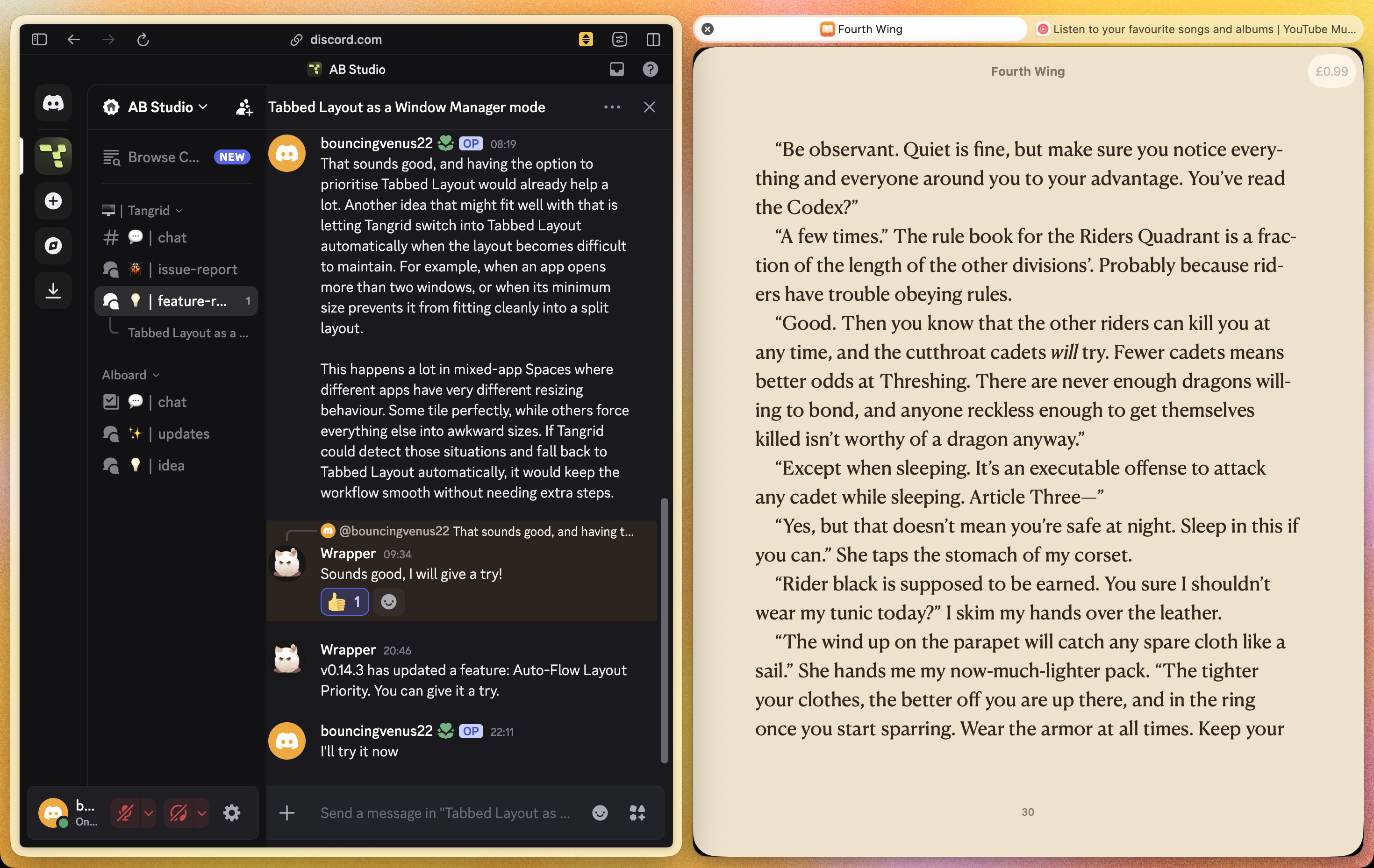
It’s perfect, I’m surprised you got the tab system working this quickly. The only tweak I’d suggest is adding an easier way to drag apps in and out of a tab and to turn them into a split (I’ll include a picture below). Right now, holding the drag modifier key (mine is cmd) pulls the app out, but to turn it into a split you have to hold cmd again and drag it to the corner, and then hold cmd again to add it back into the tab. Sometimes it doesn’t re‑enter the tab on the first try. A smoother drag‑to‑separate and drag‑to‑merge interaction would make the workflow feel a lot more fluid.

Screenshot_2026-03-27_at_22.26.58.png
WrapperDeveloper

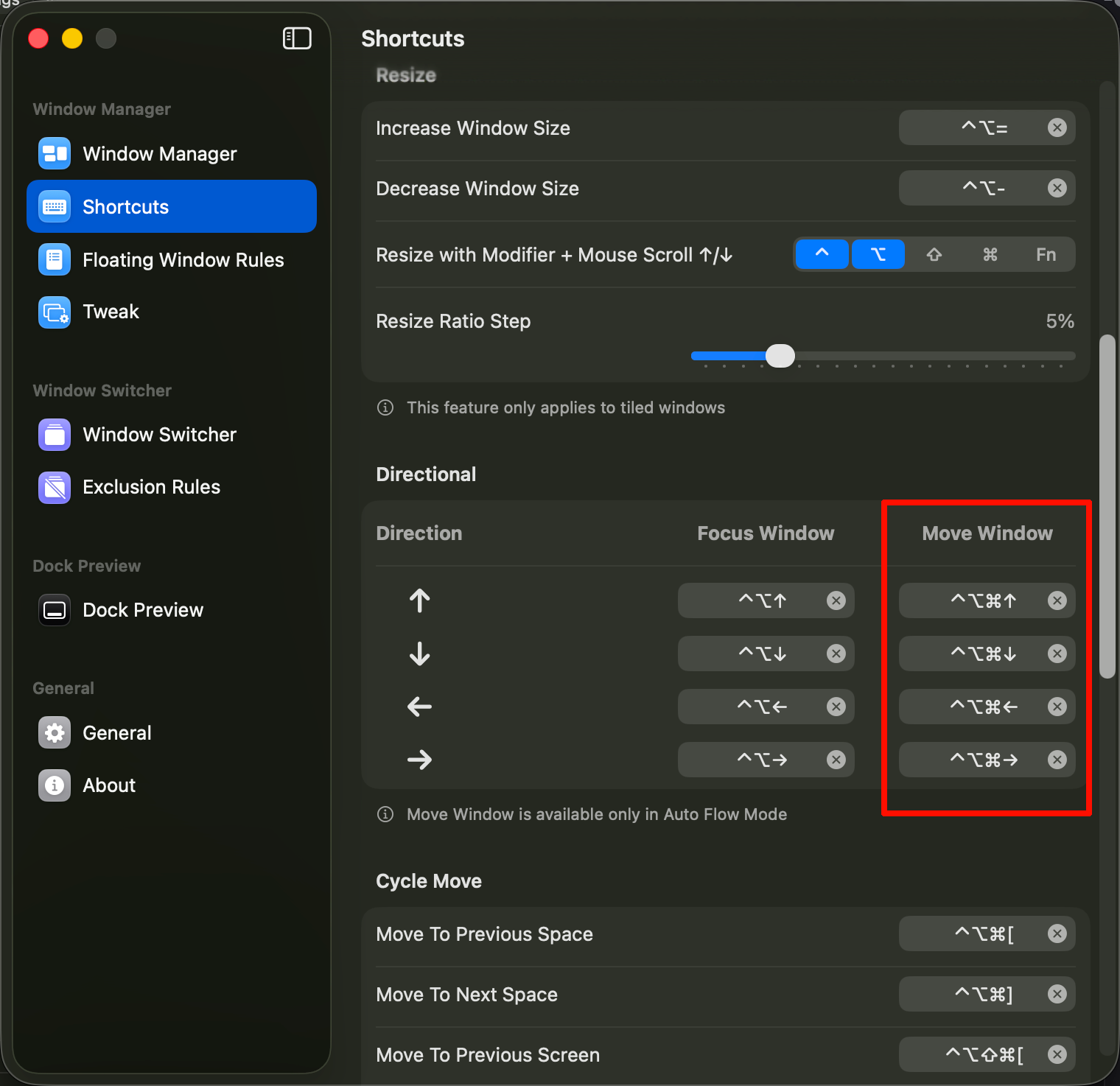
I think you can try moving window shortcuts.

image.png
B
bouncingvenus22OP

It works, thank you. The only other thing I’ve noticed is that when I use the shortcuts, the tabbed layout doesn’t restore the specific app that’s being clicked. In the clip, the view stays on the Books app and doesn’t switch.

Screen_Recording_Mar_29_2026.mp4
B
bouncingvenus22OP

The new update fixes this, thank you

Open in Discord