In older versions, I was always able to use split mode as only arrangement algo. Lately, the new tab mode sneaks in and I don't really like it. I'd like an option to always have split mode forced, with no tabbing whatsoever — not just preferred.


In older versions, I was always able to use split mode as only arrangement algo. Lately, the new tab mode sneaks in and I don't really like it. I'd like an option to always have split mode forced, with no tabbing whatsoever — not just preferred.
Current behavior is forcing me to use the shortcut to make them split instead way too often. It was great how it was working before any tab related behavior, Although I noticed the window arrangement behavior being way more stable in general
After taking a more in-depth look at the settings, I will try moving the minimum down to these levels to see if I like it better. Maybe I got the algorithm a bit wrong. In any case I'm keeping the request up for now.
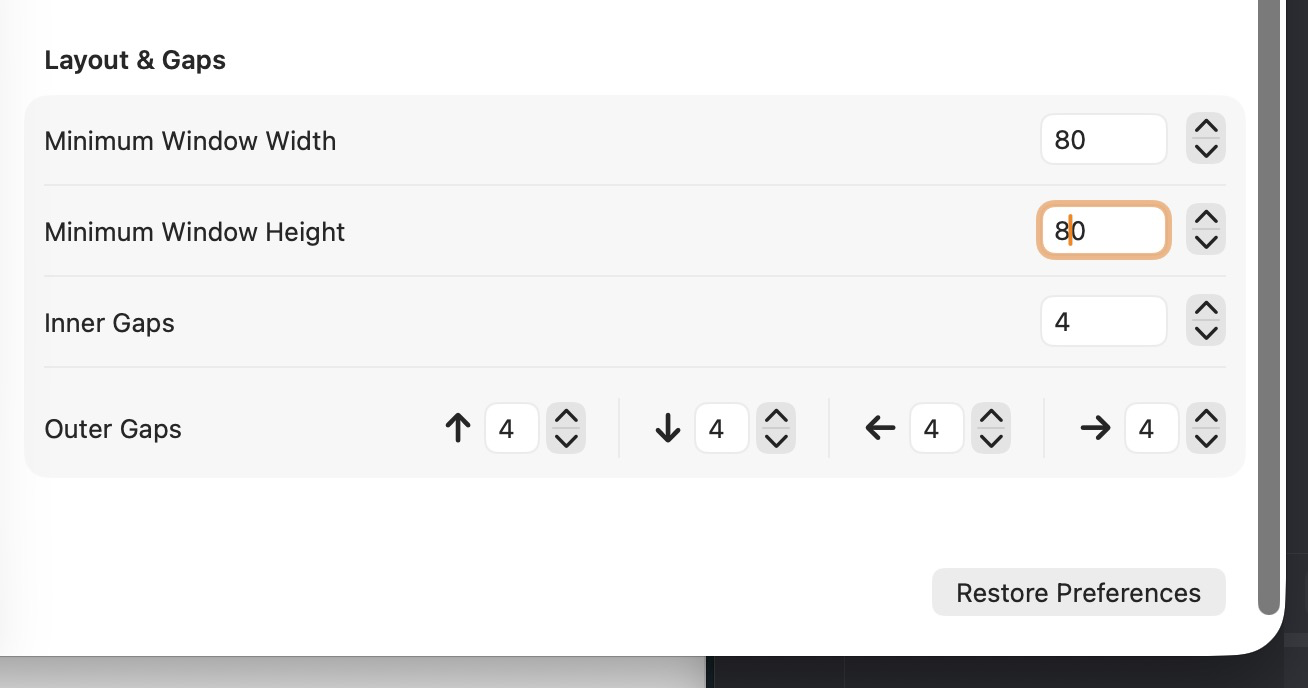

I understand. Right now, with Prefer Split selected, windows will only group into tabs in one case: when a new window is opened or a deminimized window, and the two windows are very close to each other. Is that what happened for you, or was there some other situation I didn’t expect that caused them to group into tabs?
An example of a case in which I wouldn't want it happening: when I have a couple of windows side by side and then I open a new application. That new application opens up on the right side usually and since I have a couple of windows, it becomes another tab on the right. I'd like for it to continue being a split on the right window.
It's a bit hard to explain because sometimes it behaves well, other times it creates tabs. I will try to catch it on video.
Point is tabs are useful only in very specific instances, at least to me. I can imagine them working right like on specific kind of windows like in specific application, For example I like them opening for temporary windows when I just need to click a button and close it. But for more permanent applications like email or such, it's a bit less useful.
In any case after I lowered the minimums, it behaves a bit better for me.
Here's an example. I think it creates a tab because the open and windows is big, but I don't ever want these tabbed, regardless of size. I use Tangrid exactly because I don't want to think about windows sizing.
Maybe you have some tips for me
"Very close to each other" is probably the case that has is happening to me in the vid