Back to community
In progress

Tangrid seems to use high CPU

MadwildOP

Hi, is it normal for Tangrid to use around 25–35% CPU while idle? I’m seeing about 33% CPU usage in Activity Monitor, which feels a bit high for a window management app. Are there any features/settings that might cause this, or anything I can disable to reduce CPU usage?

Sometime it crash. This is log: https://anotepad.com/notes/wnwt73g7

I’m using:

  • macOS 26.4.1
  • Tangrid 1.2.4
Screenshot_2026-06-06_at_12-39-09.pngmessage.txtmessage.txt
Report Tangrid

------------------------------------- Translated Report (Full Report Below) ------------------------------------- Process: Tangrid [872] Path: /Applications/Tangrid.app/Contents/MacOS/Tangrid...

Replies4

WrapperDeveloper

That’s not normal. Idle usage should be very low. I’ll look into the cause.

MadwildOP
· Edited Jun 10, 2026, 09:05 AM UTC

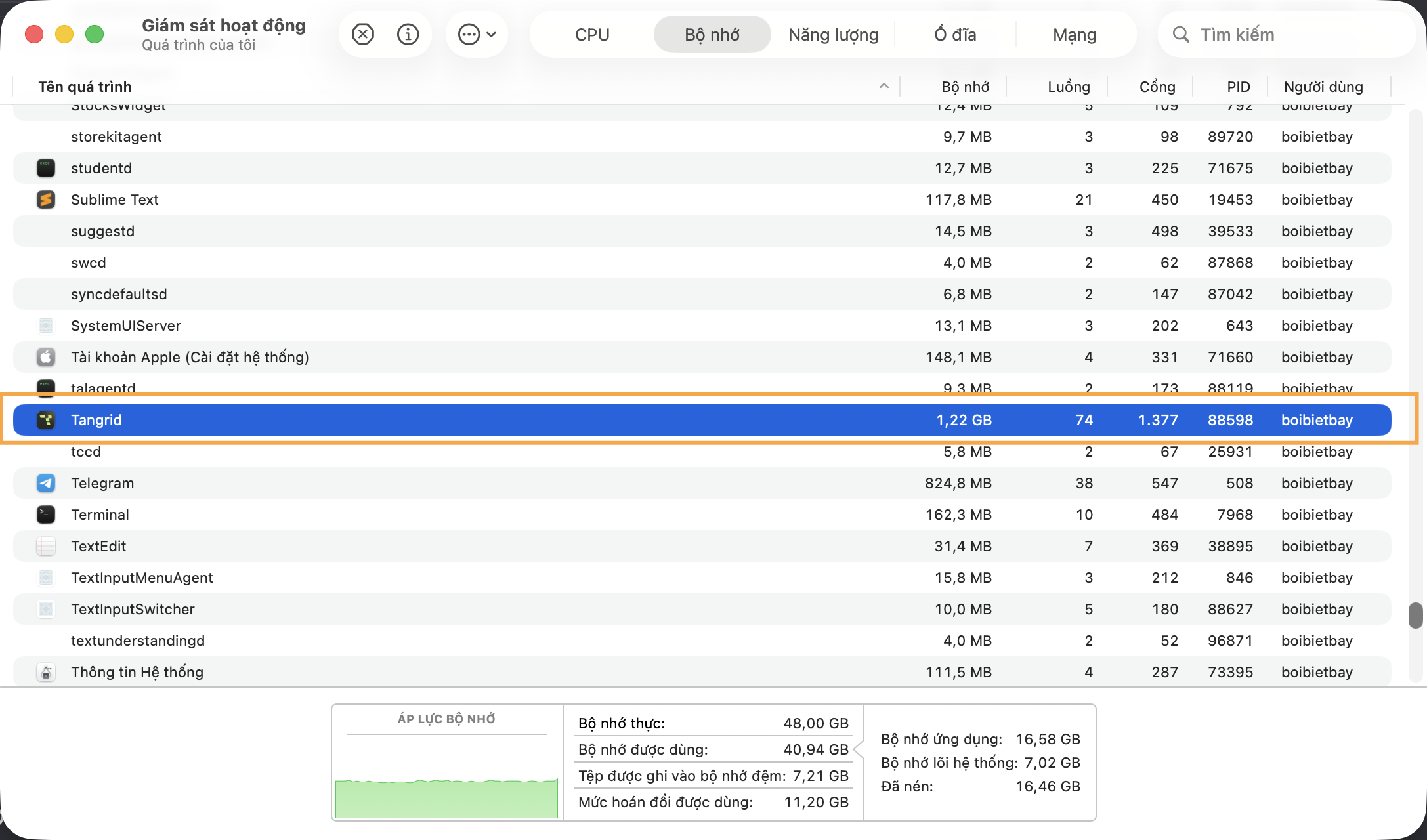
I also see Tangrid get many ram.
At first time using Tangrid, it only take 170-190mb. I never see Tangrid higher than 190mb ram. But I seee this take many ram and slow respond when switch tab with Command + Tab (take 0.5s, normally it should be show straightway) or I click on Tabbed in topbar to switch between application it take 0.5-1s to show the application.

Screenshot_2026-06-10_at_16-02-06.png
MadwildOP

CPU also higher.
IDLE is 35.5, if I click on Tabbed or using Command + Tab to switch program. The CPU will go to 57-61.
Have any method to send you the debug log of this?

Screenshot_2026-06-10_at_16-06-22.png
WrapperDeveloper

Thanks for your feedback. When cmd switcher is triggered, it captures screenshots of all windows at once, which causes a temporary spike in CPU and memory usage. But this high resource consumption won't persist. You can export logs in the Settings > About section. Please send me the logs via DM.

Open in Discord