Back to community
In Development

[Workspace] Save across all displays

H
hamham4575OP
· Edited Jul 23, 2026, 01:48 PM UTC

The workspace feature is very nice! But I only noticed today why my workspaces didn't apply to all screens as I expected. It seems you can only select one display at a time (notice blue highlight in first screenshot)?

In Rectangle I can select "All Displays" (see second screenshot), so I can apply to all monitors in 1 click.

Is there a way to support "All Displays" like Rectangrid? I will buy another license to support if you're able to add this. :)

This might also solve the bug report I made for merging window, it might've been my misunderstanding on how workspace doesn't apply across all monitors in 1 click.

CleanShot_2026-07-23_at_08.32.54.pngCleanShot_2026-07-23_at_08.35.40.png

Replies7

WrapperDeveloper
· Edited Jul 23, 2026, 04:14 PM UTC

A workspace saves the windows in macOS virtual desktop, but "all displays" cannot fully show every virtual desktop. Currently, each display only shows its current virtual desktop.
I think a saved workspace should be carefully organized, with each item assigned its own name and icon. So I don’t think an option for saving "all displays" is a good approach.

H
hamham4575OP
· Edited Jul 23, 2026, 07:33 PM UTC

Thank you, and that's fine. I don't want you to rework your vision to match my expectation. I will continue using Rectangle then to manage display layouts as they work well together in the right order :). But it only works so long as your proximity logic stays so please don't remove that 😆

WrapperDeveloper

In my view, recording is a pretty infrequent action. Once it’s set up, you rarely need to use it again. So I’m curious about your use case, why you need the convenience of save across all workspaces?

H
hamham4575OP
· Edited Jul 25, 2026, 01:59 AM UTC

Sure, I work from office and home part of the day.

Because I have 2 or 3 ext. monitors I do NOT need virtual desktop/spaces most of the time. I only use macos spaces feature when I have NO external monitors during travel (of course, many people use spaces AND external monitor especially if they have 1 setup... but for me it's a hassle to delete/add macos spaces each time I move from work/home because Mac doesn't remember them per display).

Anyway, each monitor has only 1 space per display in my case:

Work:
[Macbook screen] [ Ext. Monitor 1] [ Ext. Monitor 2]

Home:
[Macbook screen] [ Ext. Monitor]

With Rectangle, I can snapshot window layout across All Displays and treat them as one entity. This makes it easy for me to switch between home and work layouts. I don't think Rectangle handles macos spaces, it just looks at what's showing on each display.

With your Tangrid Workspaces feature, I believe I would have to create new workspace for each display individually. Yes, you are right, I will only need to do this once, not every time. That part is NOT the hassle.

But now when I go to work for example, I have to click on Tangrid slideout for my "Work Macbook" workspace, wait, then click on "Work Ext. Monitor 1" workspace, wait, then click on "Work Ext. Monitor 2" workspace. And when I go home I have to click on "Home Macbook" workspace, wait, then click on "Home Ext. Monitor".

This is definitely a first world problem :P But in Rectangle I just switch from "Home" layout to "Work" layout and windows move to the right display (again I don't really use spaces). My script quits Tangrid, derives setup from connected monitor, uses Rectangle to move windows instantly to the right spot, then Tangrid starts and groups by proximity.

I do use your workspace feature when there is no external monitor.

Sorry I should've been more clear, it's not just saving across all displays that would be helpful, but activating workspaces across all displays in 1 click.

H
hamham4575OP
· Edited Jul 25, 2026, 01:57 AM UTC

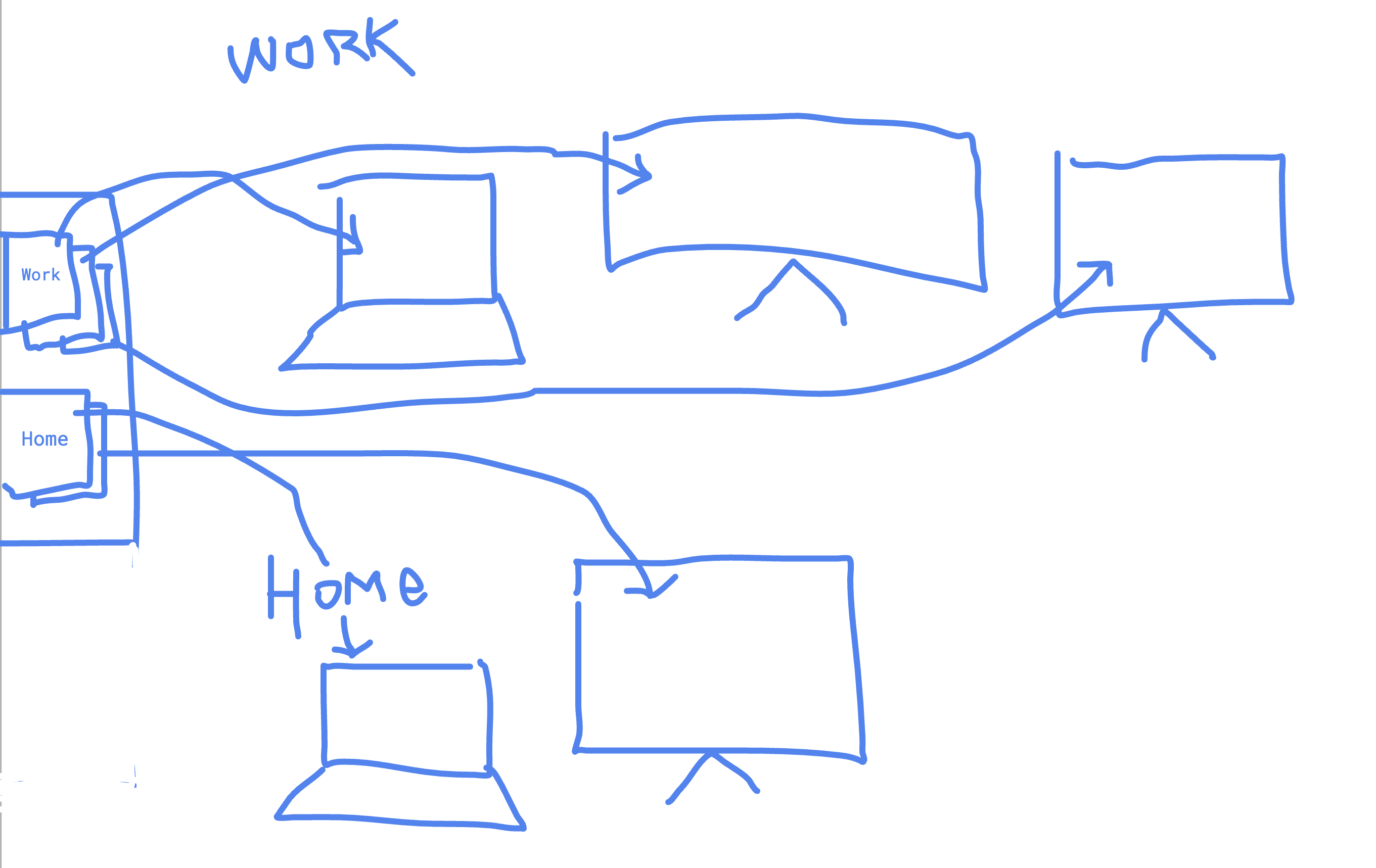
If we can save down across all displays at once, we can create a "grouped" setup that activates across all displays, but I don't know if that idea breaks down or confuses when your layout feature supports not just display but spaces.

In screenshot left side is slideout, my ideal setup is I click once on "Work" workspace (stacked picture to indicate grouping) and it applies to all displays in 1 click.

Thanks for listening my first world problem :P

CleanShot_2026-07-24_at_20.47.462x.png
WrapperDeveloper

Thanks for describing your real-world use case in such detail. It’s incredibly helpful for figuring out how to design the solution. I’m not sure whether I can come up with a good way to support both full displays restoration and single-space restoration. Connecting or disconnecting a display usually causes major changes to Spaces, which can make their order seem random in macOS, but I'll definitely think this through carefully!

H
hamham4575OP

You’re welcome! Thank you for always being considerate to how others might use a feature, but no worries if you can’t support this.

Open in Discord