Back to community
Under discussion

Can't trigger the window switcher using Logi Options+ mouse shortcut

caseydavisOP

I'd like to assign the window switcher to a shortcut on my mouse using Logi Options+, which is Logitech's configuration tool. I set the cmd+tab command to a mouse button, but when I click the button, the window switcher doesn't show.

I thought maybe there was a conflict with macOS's default cmd+tab functionality, so I changed the window switcher shortcut to control+option+shift+A to make it unique and avoid a conflict. After assigning that to the mouse button, I clicked it, and the window switcher still doesn't show.

macOS 26.4
TanGrid 0.14.3
Logi Options+ 2.1.854977
Mouse: Logitech MX Master 4
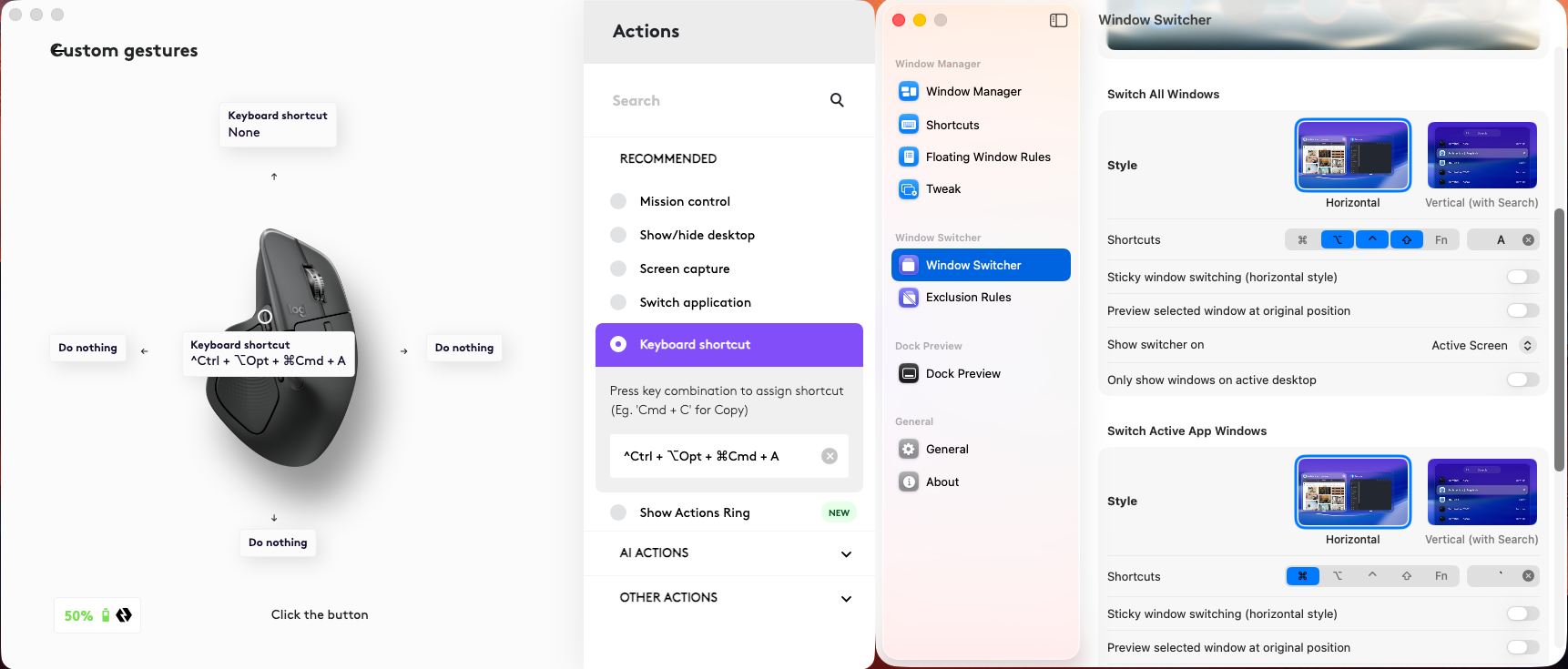
image.png

Replies2

WrapperDeveloper
· Edited Mar 29, 2026, 01:50 AM UTC

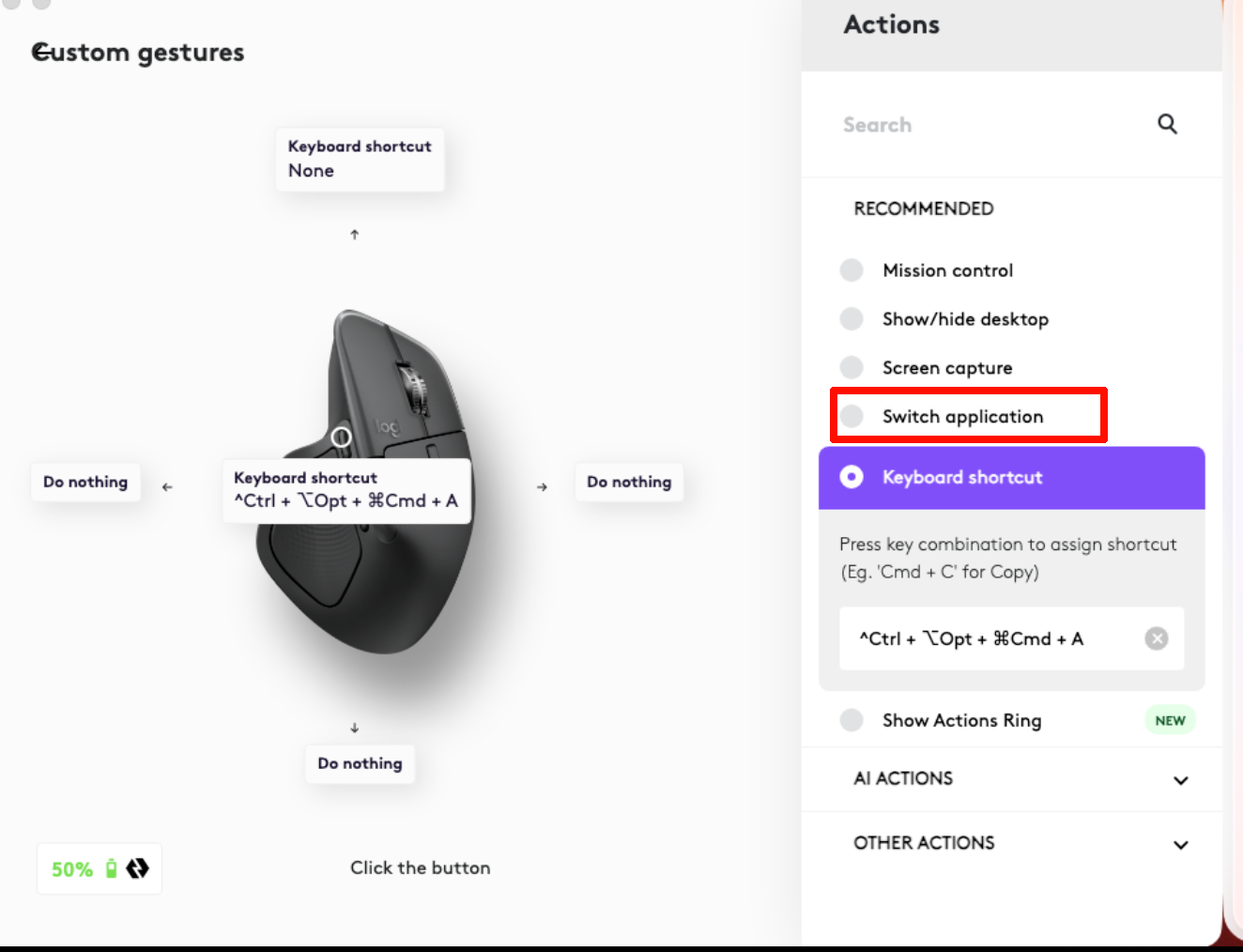
You can set Logi Options command to 'switch application', and Assign 'Command Tab' as Tangrid's window switcher shortcut. My guess is that Logi Options simulates key press and release, but Tangrid actually requires the key to be held down.

image.png
WrapperDeveloper

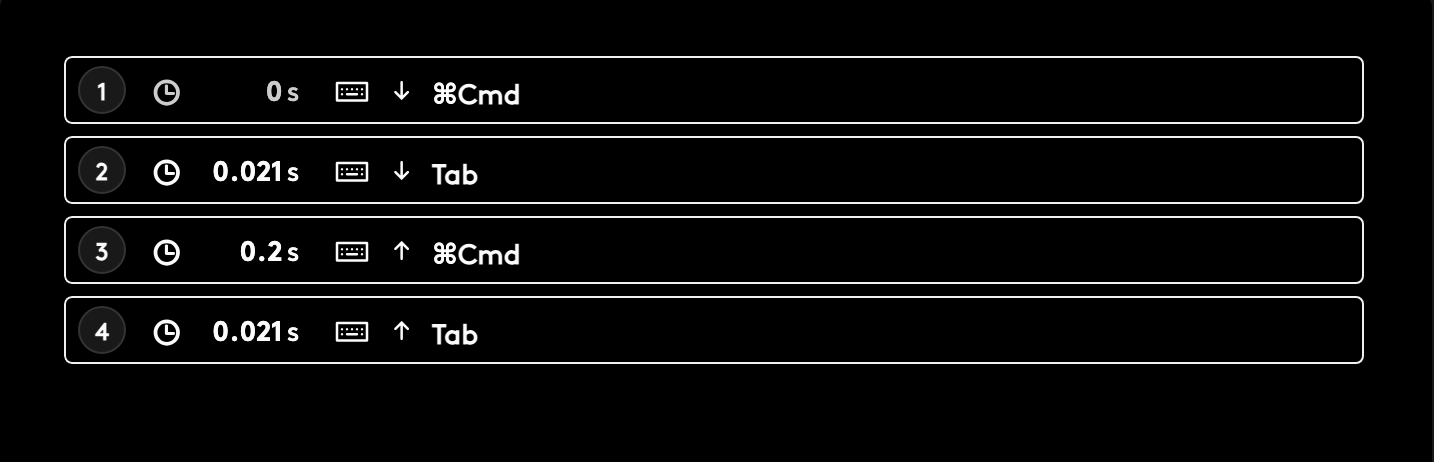
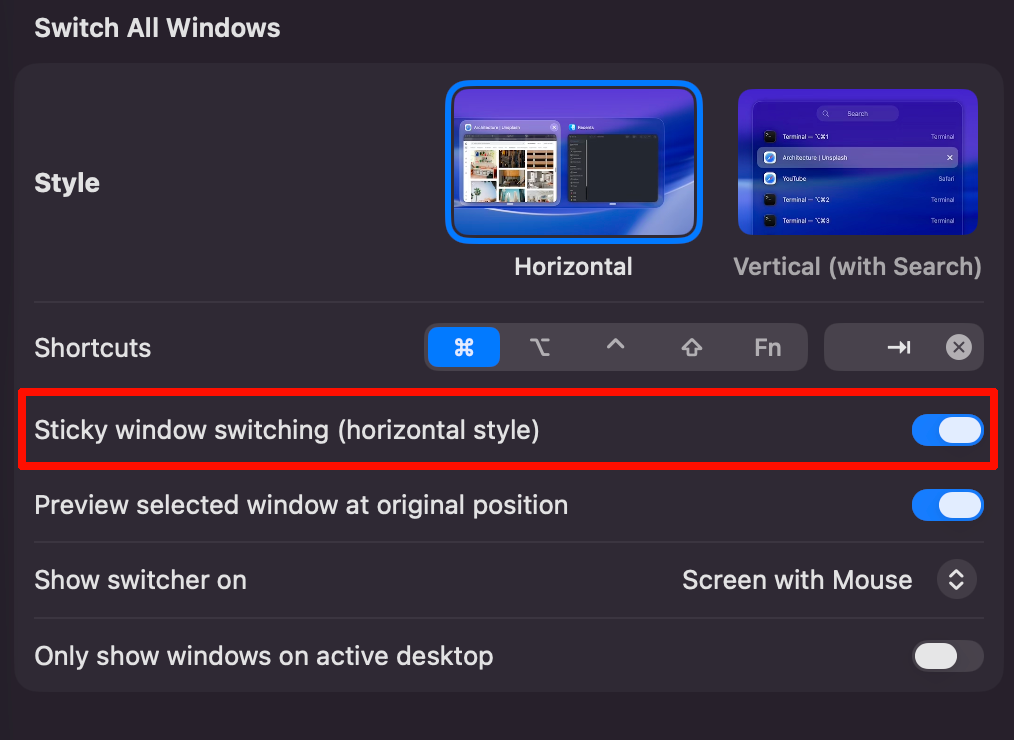
If you have sticky window switcher enabled, you could try recording a macro that holds down Cmd+Tab or your custom shortcut for about 0.2 seconds before releasing.

image.pngimage.png
Open in Discord